

Documentation Index
Fetch the complete documentation index at: https://docs.superform.xyz/llms.txt
Use this file to discover all available pages before exploring further.
403 Forbidden.
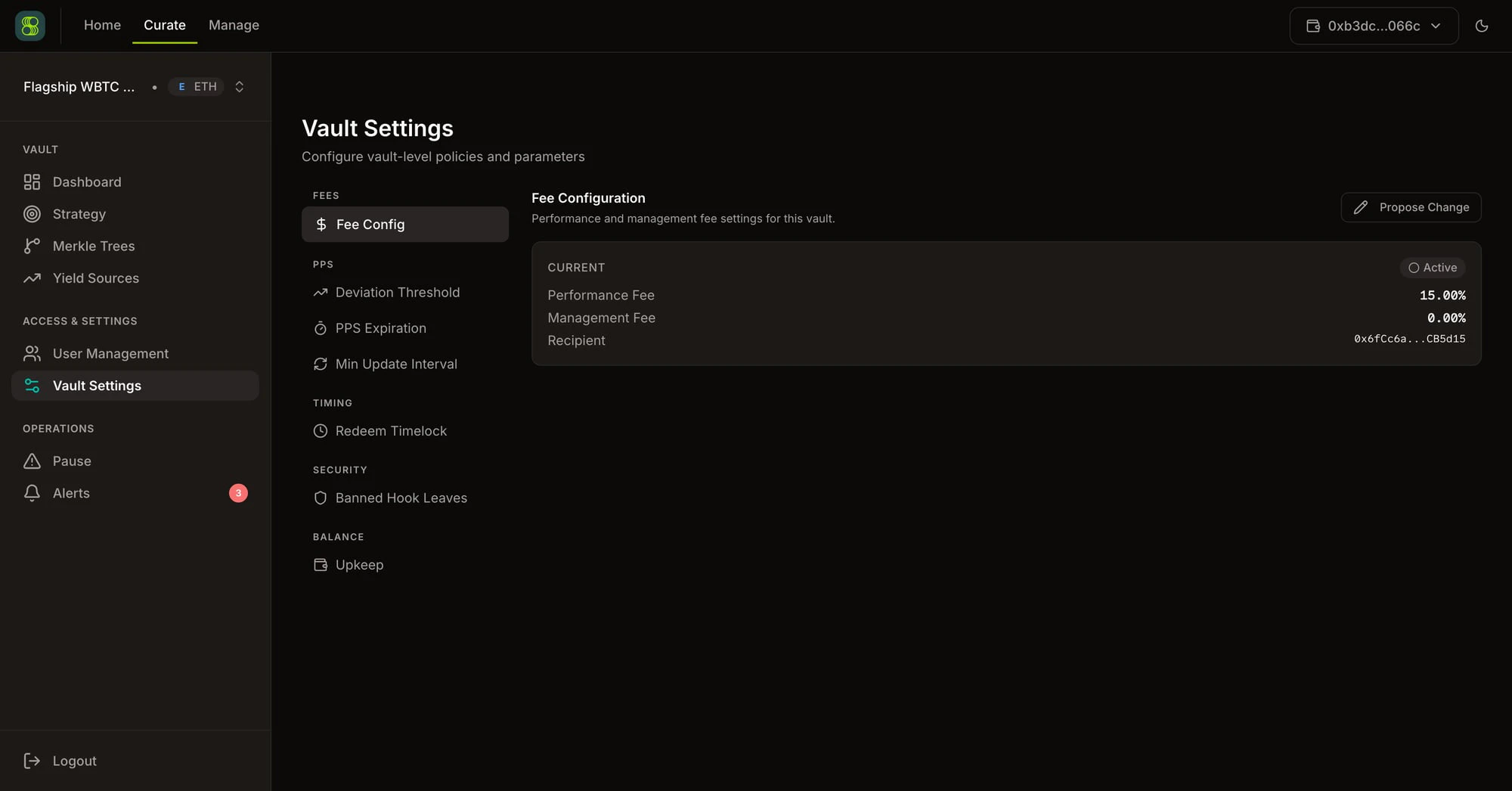
Settings changes (fees, PPS parameters, timelocks, banned hook leaves) are onchain transactions. The institutional dashboard constructs the calldata and your wallet signs and submits it directly to the vault contract. There are no Erebor REST endpoints for the actual setting change. Current values are read from
GET /api/v1/vaults/{chain_id}/{address} (the fee_config and upkeep_info fields in the response).Fees
Fee Config
Configure the vault’s fee structure: performance fee percentage, management fee percentage, and the fee recipient address. The current configuration is displayed as a read-only summary. To modify fees, click Propose Change — fee changes go through a proposal flow to protect depositors from unexpected fee increases. Fields:| Field | Description |
|---|---|
| Performance Fee (%) | Percentage of yield above the high-water mark taken as fees |
| Management Fee (%) | Annualized percentage of TVL taken as fees |
| Recipient Address | Wallet that receives accrued fees when skimmed |
GET /api/v1/vaults/{chain_id}/{address} (fee_config field in the response).
PPS
Price-per-share parameters control how PPS updates are validated and when staleness triggers operational blocks.Deviation Threshold
The maximum allowed deviation between the offchain calculated PPS and the current onchain PPS. If an update exceeds this threshold, it is rejected to prevent erroneous PPS values from being posted. A value of100 means 1% — any PPS update differing by more than 1% from the current onchain value will be rejected.
PPS Expiration
The staleness window (in hours) after which vault operations are blocked. If PPS has not been updated within this window, deposits, withdrawals, and strategy execution are halted until a fresh PPS is posted.Min Update Interval
The minimum time (in seconds) between consecutive PPS updates. Prevents excessive onchain updates that waste gas without meaningful price changes. PPS parameters are configured via onchain transactions. The UI constructs the calldata and your wallet signs and submits it directly to the vault contract. Current PPS configuration values are read fromGET /api/v1/vaults/{chain_id}/{address}.
Timing
Redeem Timelock
A mandatory delay (in seconds) between redemption request submission and fulfillment eligibility. When set to 0 or not configured, redemptions execute as soon as liquidity is available. Use cases:- Fraud prevention — time for the primary manager to intervene on suspicious redemptions
- Liquidity management — keepers source liquidity from yield sources before fulfillment
- Regulatory compliance — some contexts require enforced redemption delays
Security
Banned Hook Leaves
Merkle leaves that have been explicitly banned from execution, even if they appear in an authorized merkle tree. Use this to emergency-block a specific hook+parameter combination without regenerating and resyncing the entire merkle tree. When a leaf is banned, keepers attempting to execute that leaf will receive a rejection even though the leaf’s proof verifies against the onchain root. Banned hook leaves are configured via onchain transactions. The UI constructs the calldata and your wallet signs and submits it directly to the vault contract.Balance
Upkeep
The $UP token balance required to pay keeper upkeep costs. The UI displays the current balance and warns when it drops below the minimum threshold. If the upkeep balance reaches zero, keeper services for the vault are suspended until the balance is replenished. Upkeep balance is included in the vault detail response:API Reference
| Endpoint | Method | Backend | Description |
|---|---|---|---|
GET /api/v1/vaults/{chain_id}/{vault_address} | GET | Erebor | Full vault detail including fee_config and upkeep_info fields |