> ## Documentation Index
> Fetch the complete documentation index at: https://docs.superform.xyz/llms.txt
> Use this file to discover all available pages before exploring further.
# Distribute
> Browse distributable vaults, review provider actions, and move from operational readiness to public availability.
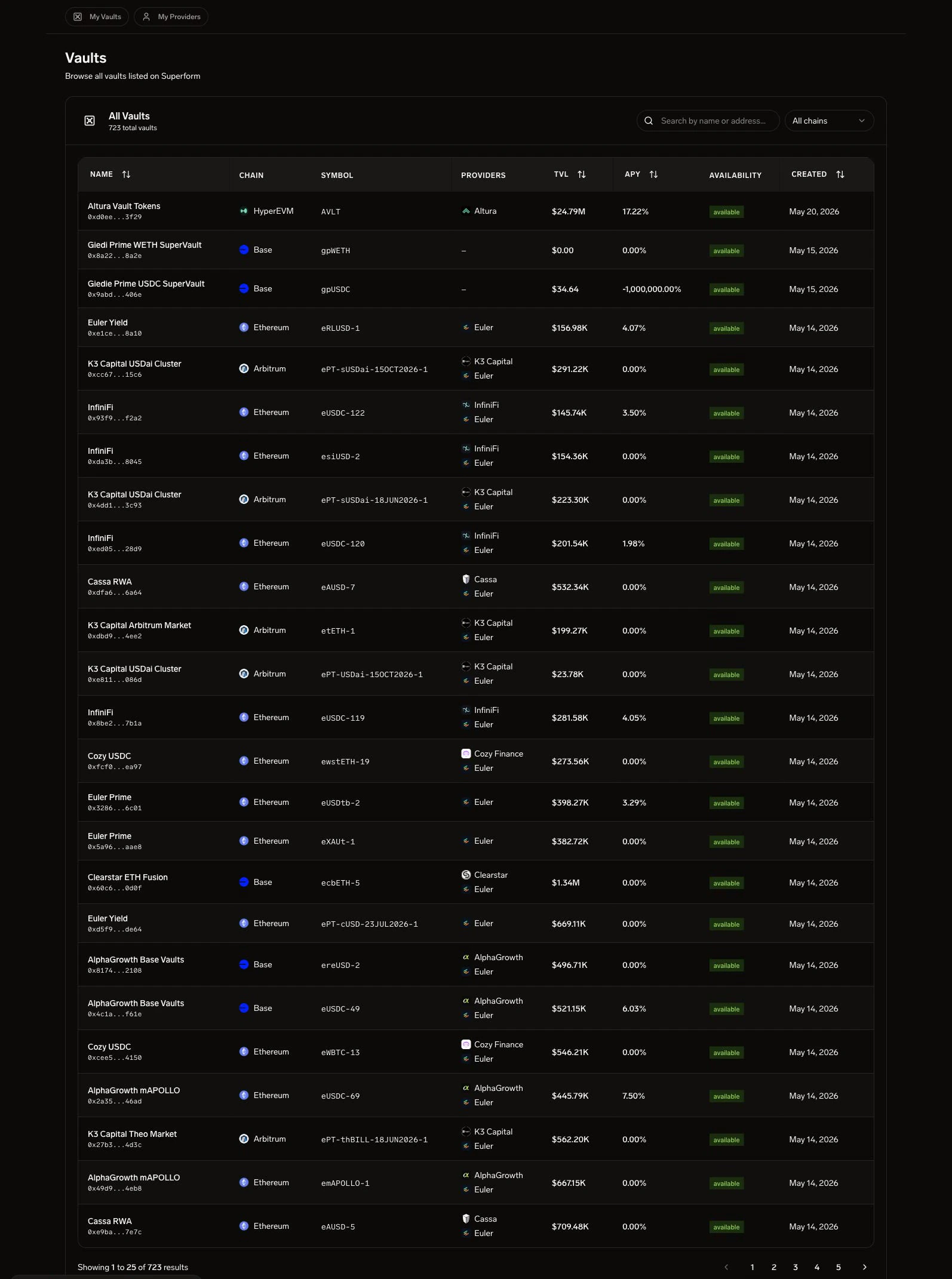 The Distribute section is the bridge between operating a vault and making it available through Superform surfaces. It shows vaults, providers, status, and actions that help operators confirm that a SuperVault is ready for allocators.
***
## Vault Table
**Route:** `/distribute`
The main Distribute view is a searchable vault table. Use it after the [Setup Checklist](/operate/ui/setup-checklist) to confirm that a vault has the metadata and availability needed for public distribution.
The table can include:
| Column | Description |
| ------------ | ---------------------------------------------------------------- |
| Name | Vault display name |
| Chain | Deployment chain |
| Symbol | Vault token symbol |
| Provider | Managed provider or issuer associated with the listing |
| TVL | Total value locked in USD |
| APY | Current annualized yield |
| Availability | Whether the vault is visible and available for distribution |
| Actions | View detail, continue listing, or open vault-specific operations |
## Distribution Readiness
Do not treat a created vault as distributable just because the contract exists. A launch-ready vault should have:
* Upkeep funded and activation cleared.
* Hooks authorized by the active merkle root.
* Yield sources whitelisted with compatible oracles.
* Strategy coverage for the intended deposit, withdrawal, or rebalance path.
* Distribution metadata with `listed` visibility and `available` status.
When the table shows a vault as unavailable, return to [Setup Checklist](/operate/ui/setup-checklist) before routing depositor traffic.
## Provider Actions
Provider actions are used by distribution operators to keep listing metadata accurate. Depending on access, the UI can expose provider creation, provider review, or continuation actions for incomplete listings.
The staging account used for these docs did not have access to provider approval queues, so this page documents the visible Distribute surface and avoids internal-only registry maintenance tools.
## API Reference
Vault list data comes from `GET /api/v1/public/vaults` for unauthenticated/public surfaces and `GET /api/v1/vaults` for authenticated operator views. Yield source, oracle, hook, and provider metadata comes from the Erebor registry endpoints.
| Endpoint | Method | Auth | Description |
| ------------------------------------ | ------ | ---- | ------------------------------------------------------ |
| `GET /api/v1/public/vaults` | GET | None | Public vault list (no auth, used on Home page) |
| `GET /api/v1/vaults` | GET | JWT | Authenticated vault list (`?detail=minimal&limit=500`) |
| `GET /api/v1/registry/yield-sources` | GET | JWT | List yield sources (`?chain_id={}&is_active=true`) |
| `GET /api/v1/registry/oracles` | GET | JWT | List oracles |
The Distribute section is the bridge between operating a vault and making it available through Superform surfaces. It shows vaults, providers, status, and actions that help operators confirm that a SuperVault is ready for allocators.
***
## Vault Table
**Route:** `/distribute`
The main Distribute view is a searchable vault table. Use it after the [Setup Checklist](/operate/ui/setup-checklist) to confirm that a vault has the metadata and availability needed for public distribution.
The table can include:
| Column | Description |
| ------------ | ---------------------------------------------------------------- |
| Name | Vault display name |
| Chain | Deployment chain |
| Symbol | Vault token symbol |
| Provider | Managed provider or issuer associated with the listing |
| TVL | Total value locked in USD |
| APY | Current annualized yield |
| Availability | Whether the vault is visible and available for distribution |
| Actions | View detail, continue listing, or open vault-specific operations |
## Distribution Readiness
Do not treat a created vault as distributable just because the contract exists. A launch-ready vault should have:
* Upkeep funded and activation cleared.
* Hooks authorized by the active merkle root.
* Yield sources whitelisted with compatible oracles.
* Strategy coverage for the intended deposit, withdrawal, or rebalance path.
* Distribution metadata with `listed` visibility and `available` status.
When the table shows a vault as unavailable, return to [Setup Checklist](/operate/ui/setup-checklist) before routing depositor traffic.
## Provider Actions
Provider actions are used by distribution operators to keep listing metadata accurate. Depending on access, the UI can expose provider creation, provider review, or continuation actions for incomplete listings.
The staging account used for these docs did not have access to provider approval queues, so this page documents the visible Distribute surface and avoids internal-only registry maintenance tools.
## API Reference
Vault list data comes from `GET /api/v1/public/vaults` for unauthenticated/public surfaces and `GET /api/v1/vaults` for authenticated operator views. Yield source, oracle, hook, and provider metadata comes from the Erebor registry endpoints.
| Endpoint | Method | Auth | Description |
| ------------------------------------ | ------ | ---- | ------------------------------------------------------ |
| `GET /api/v1/public/vaults` | GET | None | Public vault list (no auth, used on Home page) |
| `GET /api/v1/vaults` | GET | JWT | Authenticated vault list (`?detail=minimal&limit=500`) |
| `GET /api/v1/registry/yield-sources` | GET | JWT | List yield sources (`?chain_id={}&is_active=true`) |
| `GET /api/v1/registry/oracles` | GET | JWT | List oracles |